01Progress and saves
Where is my progress saved?
On your device, at checkpoints: the chapter you reached, where you were, what you carry and the choices you made. Nothing is stored online, so uninstalling the game or clearing its data deletes your progress.
Can I move my progress to a new phone?
Not yet: there's no cloud save, because the game has no accounts. Your purchase moves with you (see Restore purchase); your progress stays on the old device. Chapters you have reached can be replayed from the Chapters menu.
My progress is gone after an update.
Updates keep your saves. If yours disappeared, please write to us with your device model and the game version before you play on: that helps us find the cause.
How do I start again from the beginning?
In the main menu choose New game and confirm. This erases your progress on this device but not your purchase.
02The full story
What's free, and what does the full story include?
The prologue and Chapter 1 are free. The Full Story is a single one-time purchase that unlocks Chapters 2 to 9 and any chapters we add later. No subscription, no ads, no energy, no waiting. The price is shown in your store, in your currency.
I bought the full story, but it's locked.
- Make sure you're online and signed in to the same Google Play or Apple account you bought it with.
- Open the unlock screen (it appears when you start Chapter 2, from the end of Chapter 1 or the Chapters menu) and tap Restore purchase.
- Still locked? Write to us with the order number from your store receipt (it starts with
GPA.on Google Play).
It says "Payment pending".
Some payment methods take a while to clear. The story opens on its own when the store confirms the payment; you don't need to buy again.
How do I get a refund?
Payments are handled by the store, so refunds are too. On Google Play, open your order history in the Play Store and choose Request a refund, or use Google's refund page. On iPhone and iPad, go to reportaproblem.apple.com. If the store refunds you, the full story locks again.
03Playing
The game is slow, stutters or gets warm.
Go to Settings → Graphics and choose Performance: it aims for 60 fps with lighter effects. Quality runs at 30 fps with the full picture. Closing other apps and keeping the phone out of the sun or off the charger helps too.
It's too dark to see.
Raise Settings → Brightness, and turn up your screen's brightness. Nights are meant to be dark, but you should always be able to see the way with your flashlight.
The buttons are too small, or in the way.
Settings → Controls lets you move every button and change its size. Reset puts them back.
Languages and subtitles
Menus and subtitles come in English, Turkish, German, French, Spanish, Portuguese, Italian, Japanese, Korean and Traditional Chinese (Settings → Language). Voices are in English. Subtitles can be turned on or off in Settings.
Does the game need the internet?
No, it plays offline. Buying or restoring the full story needs a connection, and play data (while it's on) is sent when you're online.
I'm stuck and can't find the way.
Write to us with the chapter and the last checkpoint and we'll point you on. If a door won't open or something blocks the path, that's a bug we want to hear about. With play data on, places where many players get stuck are the first ones we fix.
04Privacy and data
What is "Play Data", and how do I turn it off?
Optional, anonymous statistics such as where players get stuck and how the game runs on their phones. In the EEA, the UK, Switzerland, Türkiye and South Korea the game asks once; elsewhere it's on from the start. Turn it off or on any time in Settings → Play Data. The game plays exactly the same either way. Details are in the Privacy Policy.
How do I get my data deleted?
Turn Play Data off to stop sending anything. To delete what was sent, or anything about a purchase or an email, write to us. Because play data isn't linked to your name, we may ask you a couple of questions to find it. See your rights.
Are the voices made with AI?
Some are. Several character voices were made with AI speech tools, from voices we designed or licensed, and no one's voice was copied without their permission. The chapter illustrations were also made with the help of an AI image tool. The game says so in Settings.
05Content and age
Is Nightide for kids?
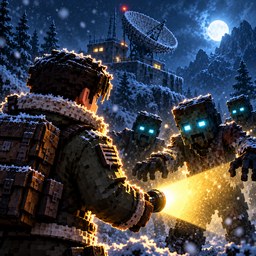
No. It's a horror story for players aged 13 and older, with violence against infected creatures, blood, frightening scenes and mild language. Your store shows the official rating for your country.
Flashing lights
Some scenes have flashing lights: lightning, muzzle flashes, signal lamps. If you or anyone in your family has had seizures or epilepsy, please talk to a doctor before playing, and stop at once if you feel dizzy, see blurred vision or have twitching.
06Devices
Older or low-memory phones can play with Settings → Graphics → Performance. If the game doesn't start on your device, tell us the model: it helps us support more phones.